
Confirm Eligibility
Confirm that your product is listed in the HSA/FSA Accepted collection before checkout.

Confirm that your product is listed in the HSA/FSA Accepted collection before checkout.
Add the eligible model to your cart and continue to checkout.
At checkout, select Sika / HSA/FSA as the payment method. Follow any on-screen prompts from Sika.
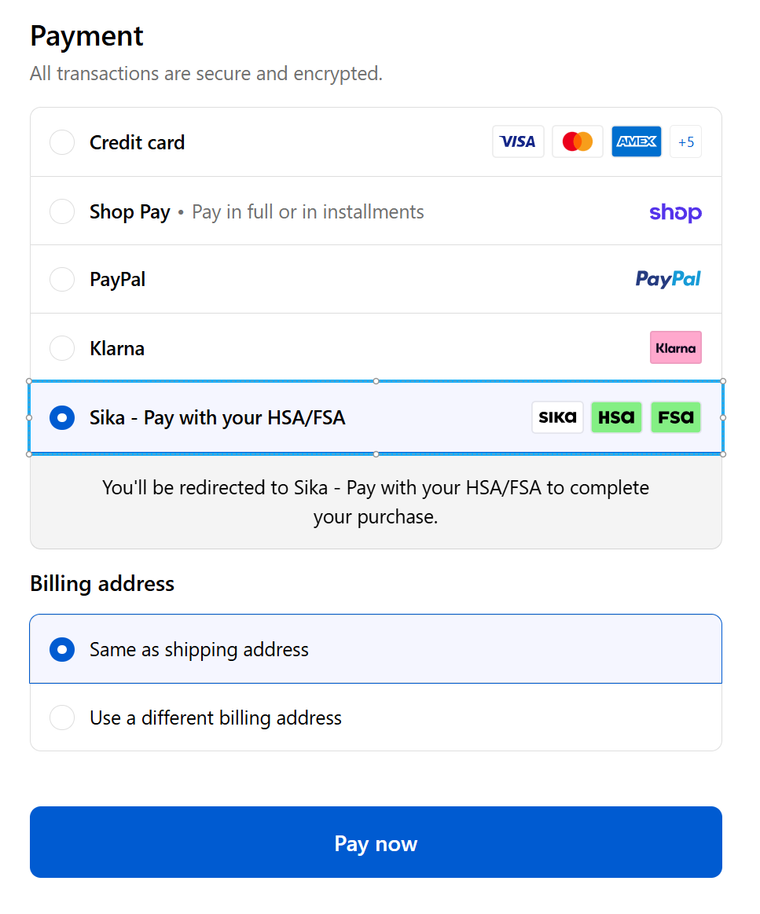
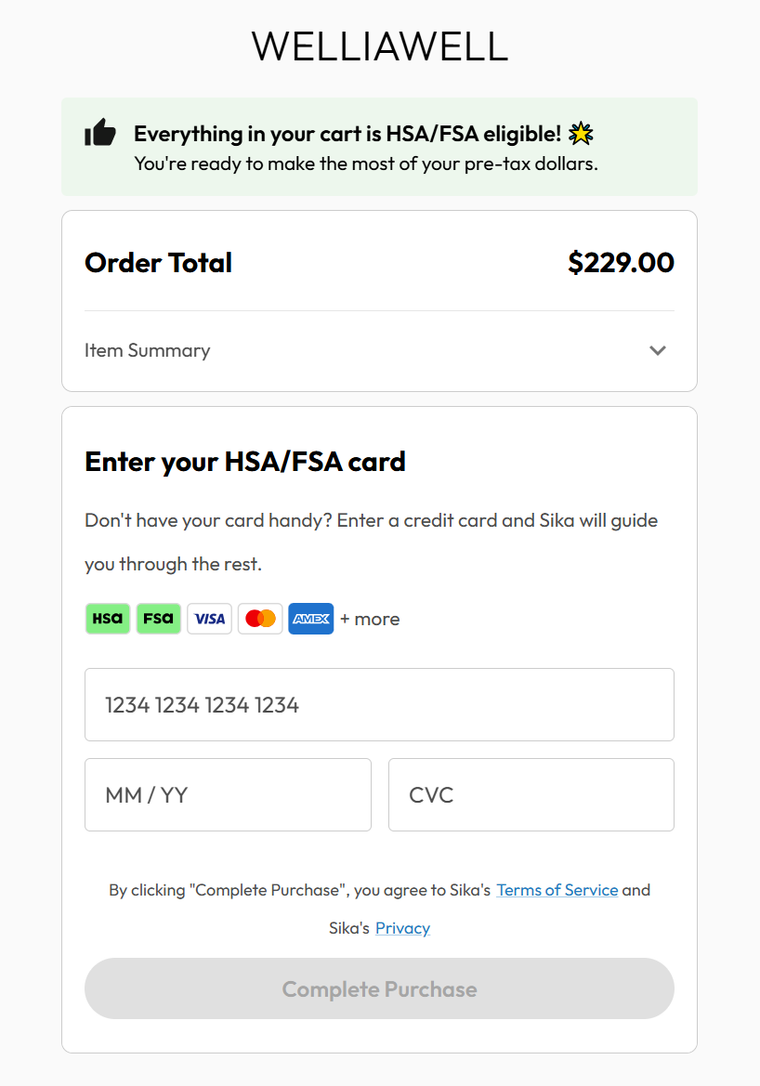
Follow the Sika checkout instructions and use your HSA/FSA card to complete payment.
Please read our FAQs page to find out more.
Add an eligible item to your cart and continue to checkout. When the HSA/FSA payment option appears, follow the checkout instructions and enter your HSA/FSA card details to complete payment.
Please refer to the HSA/FSA Accepted collection before checkout. Eligibility may also be reviewed during the checkout process.
If your HSA/FSA card payment is completed directly at checkout, you generally do not need to pay out of pocket first and submit a separate reimbursement claim for that payment.
First confirm that the item you selected is listed in the HSA/FSA Accepted collection. If the HSA/FSA payment option still does not appear, please contact Welliawell support before placing your order.
An HSA/FSA card may be declined because of plan restrictions, insufficient available funds, card issuer rules, or checkout verification requirements. Please confirm your plan details with your HSA/FSA provider.
No. HSA/FSA eligibility does not guarantee approval by every plan, card issuer, or account administrator. Final approval may depend on your plan rules, available balance, card issuer, and checkout verification.
Yes. If your HSA/FSA card cannot be approved at checkout, you may complete your purchase using another accepted payment method.